

Frequently Asked Questions

Everything you need to know about NAVEGaid.

Which Shopify theme is NAVEGaid built on?

Dawn, Shopify's reference theme (Online Store 2.0). You keep Dawn's performance baseline, accessibility work, cart drawer, and app-block support — NAVEGaid adds 30 custom sections, 10 custom product blocks, and a much deeper set of layout controls on top.

Do I need a page builder app?

No. Every section, block, and setting shown in the demo is native theme-editor configuration. One less monthly subscription, one less script on the page.

Can I use these sections on any page, or only the homepage?

Any JSON template — home, product, collection, blog, or a custom page template. The theme includes an all-sections preview page so you can see a section before committing to it.
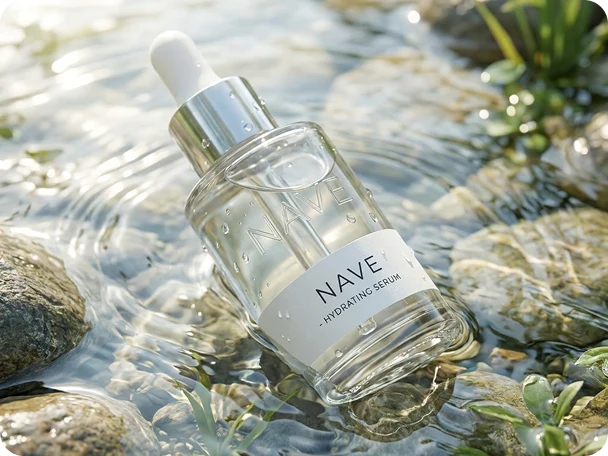
NAVE Sunscreen SPF50 - product image 3

Theme & Setup

Common questions about installation, configuration, and customization

Does it work on mobile?

Yes, and not by accident. Padding, font sizes, gaps, column widths, alignment, image heights, and content position each have their own mobile value, so you tune the mobile layout directly instead of hoping desktop values scale down. Column order can be flipped for mobile per section.

Can I change fonts and colours globally?

Yes. Theme settings hold four font pickers (body, heading, subheading, accent), H1–H6 and paragraph presets, colour schemes, section spacing, and corner radii for buttons, inputs, cards, media, popups and badges. Most custom sections then let you switch off global spacing for a one-off layout.

How do I add or remove FAQ questions?

Add an FAQ with Image section, then an FAQ row block per question — each block holds a question and an answer. Drag to reorder. Single-open or multi-open accordion behaviour and arrow style are section settings. Collection pages get the same FAQ blocks inside Product Collection List and Collection Blocks.

What can I do on the product page that Dawn can't?

Sticky add-to-cart, total price box, add-on and warranty upsells, a confidence booster row, a video carousel with popup, grouped accordions, a stars-review block, and a sticky product info column — all as drag-and-drop blocks.

Can I sell subscriptions?

Subscriptions run through a Shopify subscription app, which adds the plan selector to the product page via its app block. The theme itself displays selling plan names through cart, cart drawer and order pages, and ships a subscription collection template plus a Subscription Banner section for plan messaging.

Will my review app still work?

Yes. App blocks are supported on the product page and in sections like Press Cards v2 and FAQ with Image, so review, upsell and loyalty apps install as normal. If you'd rather not run a review app, the built-in Review Custom Section and Stars Review block render a full review layout from theme settings.

Technical & Advanced

Performance, translations, code customization, and more

Is the demo content included?

Section layouts and settings are included. Demo images and copy are placeholders for presentation and aren't transferred with the theme — standard for Shopify themes, since stock imagery is licensed to the demo rather than to installs.

Does the theme slow the store down?

It stays on Dawn's architecture: no jQuery, no page builder runtime, native lazy loading and responsive images, per-section CSS. Interactive sections support Shopify theme-editor reloading, and FAQ disclosures use native browser controls.

Is it translatable?

Yes. Text lives in translation files — 51 locale files ship with the theme — and merchant-facing labels use translation keys, so Shopify Translate & Adapt and third-party translation apps work as expected.

Can I edit the code?

Yes — standard Shopify theme, readable Liquid, one file per section. Custom CSS can go in theme settings or an asset file. Direct file edits are overwritten by a later theme update, so keep customisations documented.

STAY UPTO DATE ABOUT OUR LATEST OFFERS